
*****
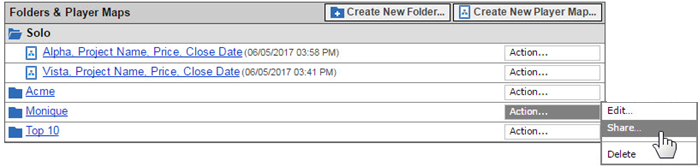
It is very easy to share your Player Maps with your sales team using PMX Share
(note per the steps below that you share the folder that contains the Player Map):
1. Click "Create New Folder", name the folder (e.g. your name, company, project)
2. Click "Action" for the Player Map, then "Move to" to shift Player Map to a folder
3. Click "Action" for the folder, then "Share" to enter e-mail(s) for people to share
- Please see the "Player Map Sharing" steps on page 9 or 11 of Help
- People you want to share a Player Map with must be set up on PMX
Attach your Quali-5 to your Player Map so all your information is in one spot.
After you share a Player Map...people can edit Player Map using Team Edit,
Team collaborates on Player Map actions using messages board on Plan tab.